Veeam Backup and Replication console, auto logoff with inactivity.
You can set your Veeam Backup and Replication console to automatically logout users after X amount of time inactivity, this feature adds another level safety to the console.
Login and select the burger menu top left, then Users & Roles.
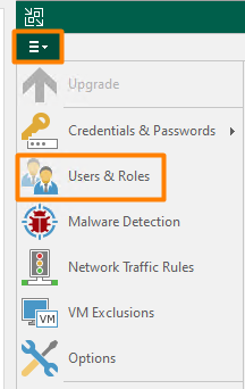
You will see this is also where you also set MFA, please note both of these are blanket settings so if you have multiple users, this will apply to them all. Under the list of users you will see the tick box “Enable auto logoff after _ min of inactivity.”
To set this simply tick it and change the time to what you wish, default is 10 and the lowest you can go is 2 minutes. Press “ok” and this setting is saved.