Find the cause of an unsuccessful backup – SAFE C2C
You
will see from your email reports if there a failure/partially succeeded backup
task on your C2C account. This email will show you the job that reported this, or
you can login to the portal and you can see in there:
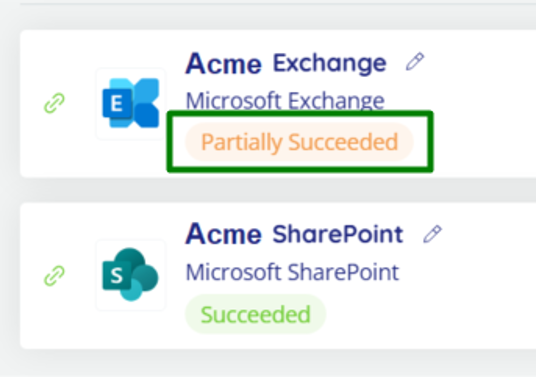
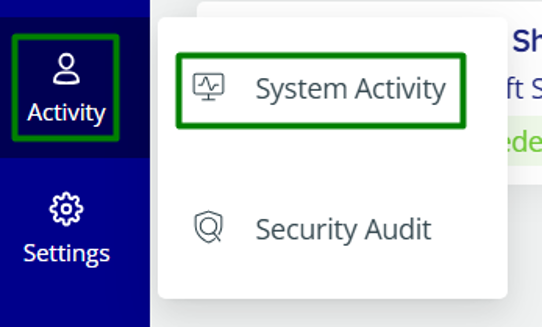
For
more information select “Activity” and then “System Activity”:
From
here, use the filters under “Status”, you may need to select “Partially
Succeeded” and “Failed” at once:
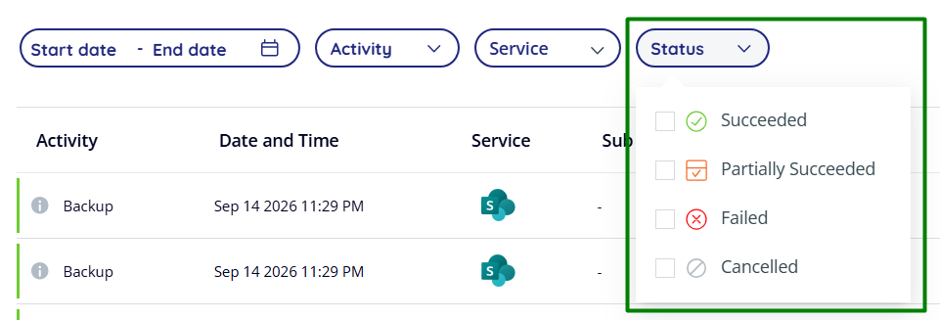
It will then show you the accounts that have failed.
At times you will get more info hovering over the grey “i” circle or the red “x”.
Usually just rerunning that specific backup it will report successfully, but if it flags again you will need to check the account against the 365 portal to see if there is a license issue etc.