Download Cloud Backup client from the portal.

Download Cloud Backup client from the portal.

Please note: This will only show you downloads for the Cloud Backup product. For assistance with other products please contact us on support@safedatastorage.co.uk, call on 01689 661 030, or you can use the chat function bottom right of this screen.

Login to the portal and go to Resources>Download Client Software.


From here, you can either search for an account you already have to find the corresponding downloads.
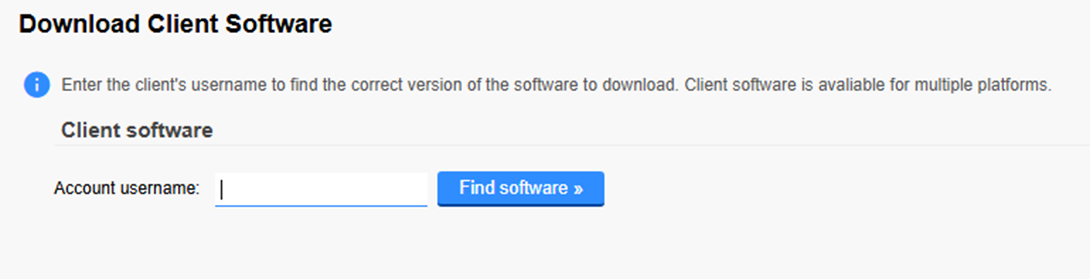
Or on the right you can “View all” to see all the available downloads you have


For example:


Select on the one you require and the download will start.


    • Related Articles

    • Downloading and Installing the client as a reseller - Cloud Backup PLUS

      Cloud Backup PLUS is the name we have given to the reseller version of our new product SAFE Backup PLUS. Once you have created the account for your customer, you will need to download and install the client on their machine. Please connect to your ...
    • Creating an account as a reseller - Cloud Backup PLUS

      Cloud Backup PLUS is the name we have given to to the reseller version of our new product SAFE Backup PLUS. To create an account on Cloud Backup PLUS for one of your clients, please login to your portal. The default address for this can be found here ...
    • Creating a backup for a customer – Cloud Backup

      Login to your backup portal (https://partners.onlinedatastorageuk.co.uk/ - unless you have you own branding added) and go to “customers” on the left then “Add Customer”. You will then need to select the plan, for Cloud Backup PLUS please see this ...
    • Branding for our resellers - Cloud Backup PLUS

      To be able to brand the Cloud Backup PLUS client for you, we will need the following 1. Product Name to go here 2. Company Name = 3. Help URL (support or website address) 4. Server address – subdomain.onlinedatastorageuk.co.uk ...
    • View your customers – Reseller portal

      Login to your partner portal, along the top you’ll see “customers” hover over this and you will be able to select which product you want to see customers for. You will then be shown a list of all of your accounts. If the name is in red and crossed ...